




















BLACK FRIDAY

2× credits · Ends Dec 1

Ends Dec 1, 11:59 pm PTGrab 2× credits
Monkey Eating Apple AI

Upload one clear adult portrait for monkey eating apple AI. Your face joins the forest-path apple encounter, while the macaque stays part of the scene.

Upload Your Portrait0/1

JPG / PNG / WebP · 1 file · Max 20 MB per file

Styling note (optional)
0/400
Resolution
Number of outputs
Public Visibility
Required credits
288
Sample videos

Monkey Eating Apple AI for Your Forest-Path Reaction

Your portrait. A curious macaque. A surprised finish.

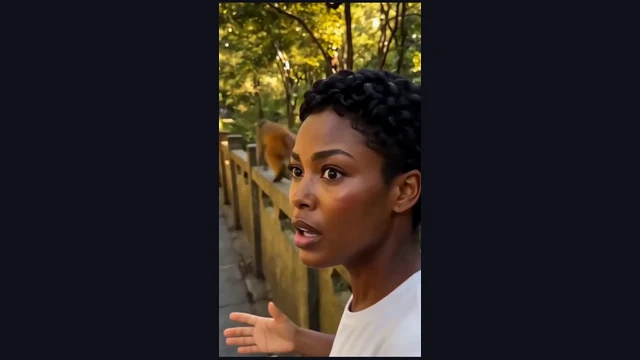
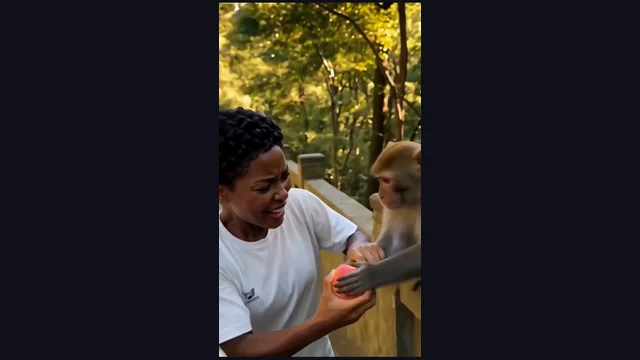
Start monkey eating apple AI with a free portrait upload to make a forest-path encounter, with no prompt to write. Your photo supplies the familiar face; the prepared scene brings in the stone railing, a curious macaque and a bitten red apple. Follow the quick reaching, pulling back and startled reaction as an ordinary snack becomes a short visual joke.

Create a nine-second vertical video with sound for a group chat, a lighthearted travel-themed post or a surprise for a friend. The template prepares the scene and movement, so you can start with a photograph and enjoy the reaction with monkey eating apple AI.

Create My Monkey Eating Apple Video
Monkey Eating Apple personalized scene
1 Clear Portrait|9 Seconds With Sound|Prepared Scene and Motion|No Prompt Writing

How to Make Your Monkey Eating Apple AI Video

Start monkey eating apple ai with clear photos, then preview the complete scene before sharing.

1

Choose and Upload Your Portrait

For monkey eating apple AI, choose one clear adult portrait with a well-lit face and visible hair. Upload it to the apple-holder slot and check the preview. The prepared scene supplies the white shirt, forest path, macaque and apple around that familiar identity.

2

Generate the Prepared Scene

Create your monkey eating apple ai video with the prepared template. Check that the apple-holder preview shows the intended face, select a quality and begin the forest encounter. The fixed 9-second sequence brings your portrait into the forest encounter with sound and a complete ending to watch.

3

Watch the Finish and Save

Preview the complete monkey eating apple ai clip before saving it. Follow the apple and hands through the encounter, then watch the final surprised look. Download the full apple encounter and add the food joke you want to send with it.

Bring Your Photo Into the Monkey Eating Apple Scene

Explore the people, movement and final moment that give monkey eating apple ai its character.

Your Face in Monkey Eating Apple AI

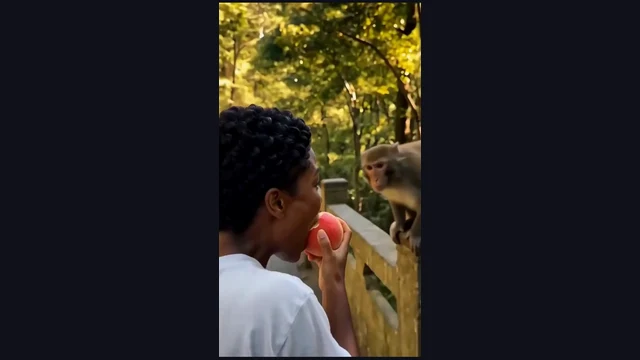
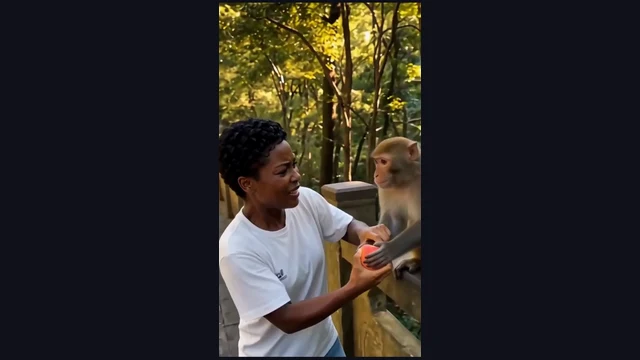
A single portrait places a familiar person at the centre of the joke. Monkey eating apple AI gives that person a white shirt and a forest-path setting, while the macaque and apple bring the interaction to life. Choose a clear face with visible hair so the reaction feels personal from the opening view.
Your Face in Monkey Eating Apple AI

A Small Snack Turns Into a Struggle

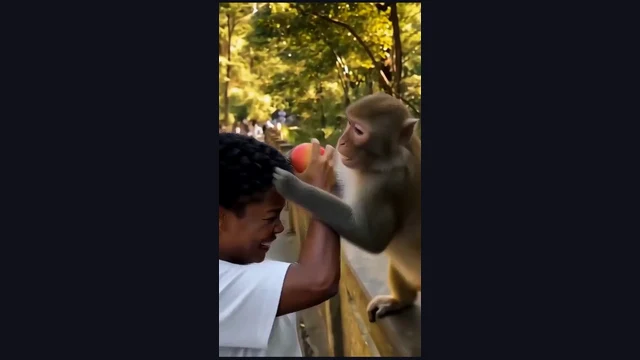
The red apple gives the viewer something simple to follow. Monkey eating apple AI builds the scene around the macaque reaching toward it and the person pulling back, then raising an arm as the encounter becomes livelier. The changing distance between hand, paw and fruit gives the short sequence its comic rhythm.

A Small Snack Turns Into a Struggle

Let the Close Reaction Finish the Joke

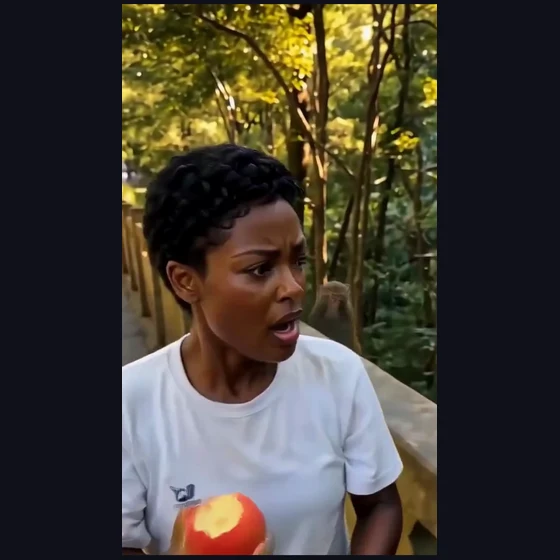
The final close look gives the forest encounter its punchline. With monkey eating apple AI, the story moves from an ordinary bite to an increasingly surprised face, ending on the person’s reaction. Preview that last moment with the earlier action so the clip reads as a complete little scene before you share it.

Let the Close Reaction Finish the Joke

Monkey Stealing Apple AI, Ready to Personalize

The monkey stealing apple AI template prepares the location and movement around your portrait, including the stone railing, leafy path and quick changes of view. The result is a nine-second vertical clip with sound. Start from a photo and spend your attention on the expression and the finished joke, rather than filming a forest encounter.

A Prepared Scene With Sound

Monkey Eating Apple AI Video Ideas to Share

Make monkey eating apple ai part of a personal message, a group conversation or a playful social post.

A Surprise in the Group Chat

Send a monkey eating apple AI clip to friends who know your usual snack habits. A familiar face and an escalating apple struggle make a quick visual joke. Add a short message about your interrupted lunch and let the close reaction do the rest.

A Playful Travel-Themed Post

Use monkey eating apple AI as a lighthearted addition to a travel-themed post. The leafy path and stone railing create the setting for a fictional encounter, while your portrait keeps the joke personal. Give the clip a playful caption that matches its surprised ending.

A Funny Reply to a Friend

Make monkey eating apple AI a small reaction video for a chat about food, outings or unexpected interruptions. Choose an expressive portrait, watch the macaque’s reaching and the final close look, then send the finished sequence with the message that prompted your reply.

A Short Visual Comedy Study

Explore the monkey stealing apple AI scene as a small example of visual timing. Follow how the ordinary opening, quick reaching and final reaction connect into one joke. Preview the whole clip and write a caption that complements the ending rather than explaining every movement.

Monkey Eating Apple AI: Creator Perspectives

I chose a clear short-haired portrait for monkey eating apple AI and made the forest-path scene into a playful travel-themed message. The ordinary bite at the start made the sudden reaching funnier. I let the close reaction finish the joke, then added a caption about an interrupted afternoon snack.

Amira B.
Travel Writer

Monkey Eating Apple AI Questions

Find the photo requirements, prepared workflow and video format for monkey eating apple ai.

Monkey eating apple AI puts your portrait into a forest-path apple encounter. The nine-second vertical clip follows the encounter through a surprised close reaction, with sound.

The Monkey Eating Apple trend centres on an ordinary snack turning into an unexpected animal encounter. The monkey snatches apple AI scene follows a macaque reaching for the apple, the person pulling back and the final startled expression.

Sign up for free starter credits to try monkey eating apple AI. Earn more through daily check-ins and increased rewards for longer streaks. The credits work for images and videos, with the current apple-scene cost shown beside your chosen portrait in the workspace.

Choose one clear adult portrait for monkey eating apple ai, with the face and hair visible in even light. A natural view of the features gives the scene a recognizable identity. The prepared reference supplies the white shirt, location and apple interaction.

The monkey eating apple AI video generator already prepares the scene, movement and fixed running time. Upload the required portrait and use the workspace to start. Use the optional note to describe the person holding the apple in your chosen photo.

Personalize monkey eating apple ai with the adult portrait you choose and the message you send with the finished clip. Pick a familiar face for the recipient, then add a playful snack-themed caption that suits the surprised ending.

Monkey Eating Apple AI creates a 9-second vertical 9:16 video with sound. Preview the complete apple encounter in the workspace, then download the finished clip for a personal message or a short social post.

Monkey Eating Apple AI works in your phone’s browser. Select a clear portrait from your photo library and check its preview, start the prepared scene and watch the result. Save the forest-path reaction to your phone and share the complete joke from your preferred messaging app.

Create Your Monkey Eating Apple AI Video

Bring one clear adult portrait to monkey eating apple ai and turn a familiar face into a playful apple encounter. Check the apple-holder portrait, start the forest encounter and watch the surprised ending before sharing the joke.

Create My Monkey Eating Apple Video
Monkey Eating Apple final moment