























Animate Photo
Reference images
Prompt
0/4000
Duration
Resolution
Aspect ratio
Translate prompt
Number of outputs
Public Visibility
Required credits
30
Sample videos

Make Photo Move: One Gentle Motion for Any Picture

Hair in the wind, a turn of the head, clouds on the move

Choose a picture that already makes you smile and make the photo move with one detail: a puppy’s ear twitch, a scarf in the breeze or mist rolling over a lake. Keep the clip for a story, a card or a slide.

Make My Photo Move
Smiling woman in a knit beanie turns from a gondola window, snowy alpine peaks and blue sky behind her
Gentle, natural motion|Soft camera glides|Living backgrounds|Share-ready clips

How to Make a Photo Move from One Upload

It takes three steps to make a photo move here: upload the picture, describe one small motion and keep the take you like.

1

Upload the picture you want to move

Start with a sharp portrait, pet photo, travel view or drawing whose subject sits fully inside the frame. Every frame of the clip grows from this picture, so choose the one whose expression or light you want to keep. That way you can make the photo move without losing what you love about it.

2

Describe a single small motion

Write what moves and how the camera sees it, such as "she glances back and smiles, slow push-in" or "fog drifts across the lake". Pick a compatible model and its settings; aspect choices depend on the model and mode, and Auto keeps the shape of your photo.

3

Generate, compare and keep a take

Start the generation and follow its status. Play the full clip and compare the face, hands and background with your photo. Download the version you like, or make the photo move another way by changing the motion and running it again.

Choose the Detail That Moves First

Photo animation feels natural when one element moves and everything else stays true to your shot, so pick the detail that carries the story.

A reaction from the person in the photo

Ask for a glance, a slight head turn or a widening smile, and the model builds those frames from your portrait. Small reactions keep eyes, hands and outlines close to the original, which makes them the safest way to make a photo move while the person still looks like themselves to friends and family.
A camera that travels into the view

A slow forward glide turns a travel shot into a place you could walk into, and a gentle approach pulls attention to a face. To make a photo move with the camera, say which way it travels and leave the rest of the scene calm. Try two directions and keep the reveal that suits your framing.

Light and atmosphere on the move

Leaf shadows crossing a vase, sunlight sliding along a table or steam rising from a cup can change how a picture feels. Use one atmosphere idea per try when you make a photo move this way, watch what it adds to the mood, then keep the take that matches the feeling you want.

A short clip for your next post or slide

Every result is a short clip to preview and download for a story opener, a product moment or a presentation slide. Duration, framing, resolution and sound follow the model you select. When the project needs captions, music or a loop, add them in your editor after you make the photo move.

Where a Moving Photo Fits Best

When you make a photo move with a clear purpose, a portrait, pet, trip or drawing becomes a profile opener, a recap pause or a small gift.

Profile and channel intros

Creators and speakers can make a photo move with a soft glance to open an introduction video or a channel trailer. Keep the action small and compare the eyes and mouth with the original so viewers recognize the face straight away.

Travel recap pauses

Travelers can make a photo move from each stop of the trip, adding rolling waves, drifting clouds or a slow approach to a landmark. Each clip gives the recap a calm beat on a place between handheld videos, and the still keeps the original colors for reference.

Pet birthday and holiday cards

Pet owners can make a photo move with one playful gesture, like a dog in a party hat wagging its tail or a cat by the window flicking an ear, then send it as a digital card. One small action is often all the joke needs.

Slide and event backdrops

Presenters can make an image move behind a title slide or an event screen, using a scenic photo with slow, quiet motion. If the background has to repeat, finish the loop in an editor and check the join before the event starts.

Stories from People Who Tried It on Their Photos

Mother's Day orders open in April, and I needed something softer than a static banner. I took a photo of peonies in a glass jar and wanted to make the photo move just enough for the petals to stir in the window light. The clip ran on our homepage for three weeks and matched the calm look of the shop.

Leila K.
Florist

Make a Photo Move: Common Questions

Quick answers on how to make a photo move, which motion to try first and which pictures animate most smoothly.

When you make a photo move with AI, part of your still picture comes alive in a short clip. Hair lifts, eyes blink or water ripples, and the model builds the new frames from your upload and the movement you describe in words.

Upload the picture, describe one small action and select Generate; that is all it takes to make a photo move. A smile or wind in the hair is a good first idea, and any listed model can run it. Preview the result, then download the take you like best.

You can start free. Signing up adds free credits to your account, daily check-ins keep topping them up, and a seven-day streak lifts that reward up to 4x. Use them on photo animation for your portraits, pets and drawings, or on AI images, then press Generate.

Begin your photo animation with one visible action. A person glancing toward the lens, leaves in a breeze or light crossing a product all work, and one focused idea is easier to judge than several movements packed into the same short clip.

Photo animation changes what happens inside one picture. A single detail such as a scarf or a gaze moves while the rest holds still. A slideshow changes which picture is on screen, cutting or fading from one still to the next. You can mix the two later in an editor.

Pictures with one sharp subject, clean edges and some space around the action animate best. Tiny faces, fine lettering and crowded scenes are harder to keep steady. The upload panel lists the formats and limits of the selected model, so you can make a photo move from a file it accepts.

You can make an image move whether it is a drawing, a painting, digital art or a camera photo. Name the colors and line style to keep, then ask for one action such as a character turning or petals falling.

You own the clips you generate, as set out in the Terms, to the extent the law allows. Before a photo animation goes into a paid post or a brand campaign, make sure you hold the rights to the source picture and have consent from anyone recognizable, then check logos and artwork in each take.

The pictures you upload are not published; only finished clips can reach Explore. Public Visibility stays on for free accounts, so a successful photo animation may be chosen for Explore after a team review, and accounts with a subscription or one-time pack start with it switched off. The Privacy Policy explains how uploads are processed.

Make Your Photo Move Today

Choose the picture with the smile, light or view you care about, describe one gentle action and make the photo move in your browser. Download the short clip for a story, a card or a slide and give that moment a second life.

Animate My Photo
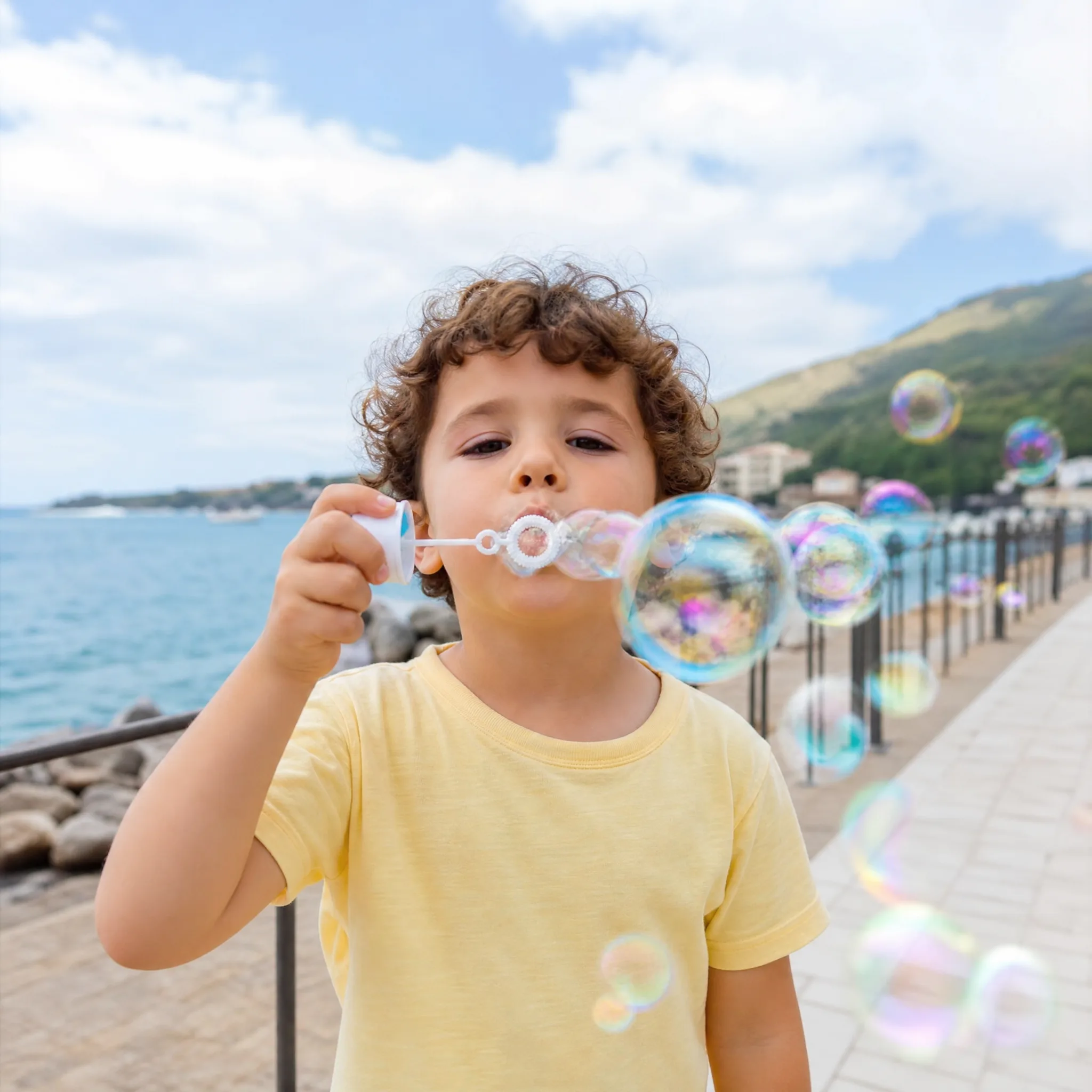
Curly-haired boy in a yellow T-shirt blows soap bubbles toward the camera on a breezy seaside promenade