























Wedding Photo to Video
Reference images
Prompt
0/4000
Duration
Resolution
Aspect ratio
Translate prompt
Number of outputs
Public Visibility
Required credits
30
Sample videos

Wedding Photo to Video for Veils, Vows and Anniversary Keepsakes

One photo from the day, a few seconds of movement

Pick the portrait you keep coming back to and describe one movement, a veil in the breeze or a slow push-in. Wedding photo to video turns it into a clip for invitations and anniversaries.

Animate Our Wedding Photo
Bride and groom forehead to forehead on a garden lawn at golden hour while her long sheer veil lifts in the breeze
One Photo Is Enough|Veil, Light and Camera Moves|Invitations and Anniversaries|Keepsake Downloads

How Wedding Photo to Video Works, Step by Step

Wedding photo to video follows three steps: choose the photo, describe the movement, then download the clip for your invitation or keepsake.

1

Pick the photo that holds the memory

Choose a portrait, a ceremony moment or a detail like the rings, where faces, hands and fabric are sharp. A clear, well-lit photo gives wedding photo to video the most to work with, so scan prints at high resolution and skip heavy filters.

2

Describe one gentle movement

Write a quiet action or camera idea: the veil lifting in the breeze, window light crossing an invitation, a slow push toward the couple. The model you select decides the inputs, length, framing, resolution and whether generated sound is included.

3

Check the clip and save your favorite

Start the wedding photo to video run and follow its status. Watch faces, hands and clothing against your photo, download the take that feels true to the day and add music, names and titles in your editor for an anniversary post or keepsake.

AI Wedding Video Ideas From a Single Photo

The best AI wedding videos often start with one still and a single, gentle movement; each AI wedding video idea below lets guests linger on the moment.

Wedding video ideas for couples: the vows

Hands held under an olive tree, a veil drifting, foreheads touching: small moves suit vow portraits. Describe exactly that and wedding photo to video builds a short scene around the couple, a lovely insert between the stills in a slideshow, an anniversary reel or the thank-you message to guests.
AI wedding invitation video maker for save-the-dates

A flat lay of the blank invitation, wax seal, rings and eucalyptus becomes a moving opener when window light and leaf shadows sweep across it. Use wedding photo to video for the motion, then add names, date and venue in your editor, where spelling and phone readability are easy to check.

AI pre wedding video generator for engagement shots

Engagement photos are made for movement: a laugh, a head on a shoulder, wildflowers in the wind. Ask wedding photo to video for a slow push toward the couple, and the meadow picnic becomes a few seconds you can use for an announcement or the opening of your wedding website.

A wedding anniversary video maker for old prints

Scan a parent’s or grandparent’s wedding photo from decades ago, like a 1970s couple on church steps, and ask for a slow approach as they turn to smile. Clean up scratches or fading beforehand so the motion starts from the clearest version, then pair the clip with an anniversary message.

Wedding Photo to Video for Announcements, Invitations and Anniversaries

Couples, planners and families reach for wedding photo to video at four moments: the announcement, the invitation, the thank-you and the anniversary.

Engagement announcements

Newly engaged couples can turn an engagement portrait into a short reveal with wedding photo to video and post it with the date and the story. A slow push toward the ring hand gives the announcement a moment people pause on.

Digital invitations

Couples and stationery designers can add gentle motion to invitation artwork, then place readable names, the date and the venue in an editor. Check every detail twice before sending the clip to guests by email or message.

Thank-you messages

After the honeymoon, pick one photo from the day and give it a small movement with wedding photo to video. Send the clip with a personal note to the guests who traveled or helped, alongside the gallery from your photographer.

Anniversary surprises

Partners marking a first or fortieth anniversary can treat wedding photo to video as a wedding anniversary video maker: one treasured portrait, one tender movement, then a date and a memory added in the edit.

Stories from People Who Tried It on Their Photos

Our photographer delivered 800 images, and I kept returning to one: Sam and me forehead to forehead under the olive tree. I used wedding photo to video to let my veil drift and the light shift. That short clip opened our thank-you message to guests, and my mom has watched it more than anyone.

Hannah G.
Nurse Practitioner

Wedding Photo to Video FAQ

Answers about wedding photo to video: what it makes, how it fits a wedding video with pictures and music, invitations, client work and privacy.

Wedding photo to video is a tool that turns one wedding photo and a movement idea into a short generated clip. The photo sets the couple and the place, the prompt adds a lifting veil, a slow push-in or soft evening light, and the result is the clip people hope for when they search for an AI marriage video generator.

Wedding photo to video gives you the moving moments, and a full wedding video with pictures comes together in your editor. Generate a clip from each favorite photo, then arrange them with the stills, titles and music on your editing timeline.

Wedding photo animation creates new frames from your photo, so the veil, the light or the camera can move, while a slideshow fades between existing pictures. Each clip from wedding photo to video is a fresh interpretation of the still for your story.

Your wedding song goes in during editing. The default Veo 3.1 Lite model adds generated sound to each wedding photo to video clip, so after download, swap or mix it with your licensed recording and time the moment to the music in your editor.

Wedding photo to video makes a moving opener for an invitation: start from an engagement portrait or the invitation artwork, describe a gentle movement such as candlelight flickering, and generate. Add the names, date and venue in your editor, and the clip becomes the AI wedding invitation video guests open first.

Wedding photographers can add wedding photo to video clips to client galleries and studio reels. You own the clips you generate, as set out in the Terms, and one moving hero portrait per wedding gives a gallery delivery a moment couples tend to share first.

Wedding photos you upload stay in your account and are never published. The Public Visibility setting shown in the workspace decides how each finished wedding photo to video clip is shown.

Animate the Wedding Photo You Love Most

Choose the portrait or detail you treasure, describe the light and movement you remember, and wedding photo to video creates a short clip. Share it in an invitation, an anniversary message or a keepsake film for the family.

Animate My Wedding Photo
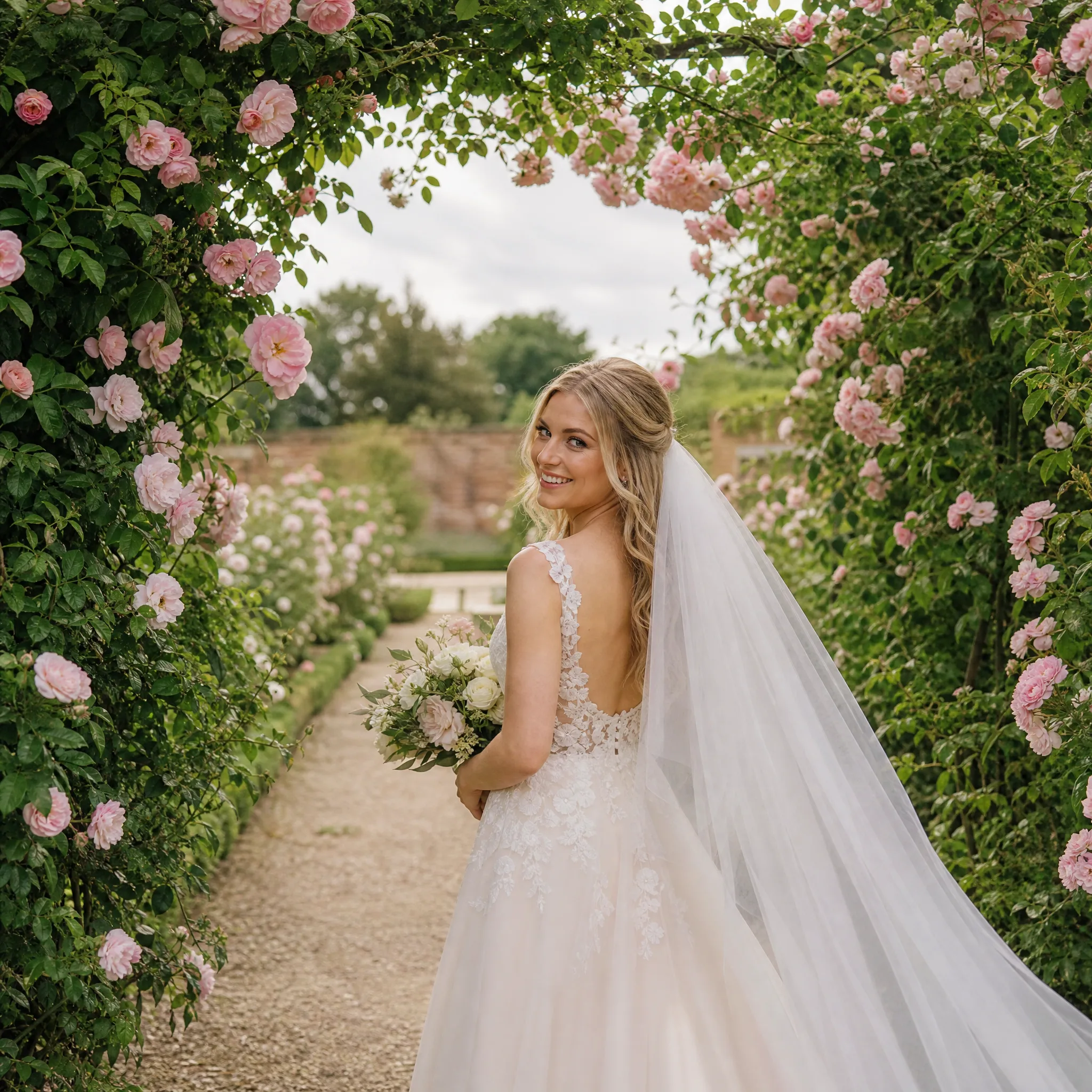
Bride in an ivory gown walking under an arch of blush roses on an overcast day, glancing back with a smile