Bulin 47 AI Video

Add one clear selfie and take the mic at the red-lit doorway, beat and crowd already in place.

Upload Your Photo0/1
Styling note (optional)
0/300
Aspect ratio
Resolution
Number of outputs
Public Visibility
Required credits
368
Sample videos

Bulin 47 AI Video Generator for Your Own Doorway Freestyle

One selfie, one red-lit doorway, and you are the one rapping in the Bulin 47 AI clip.

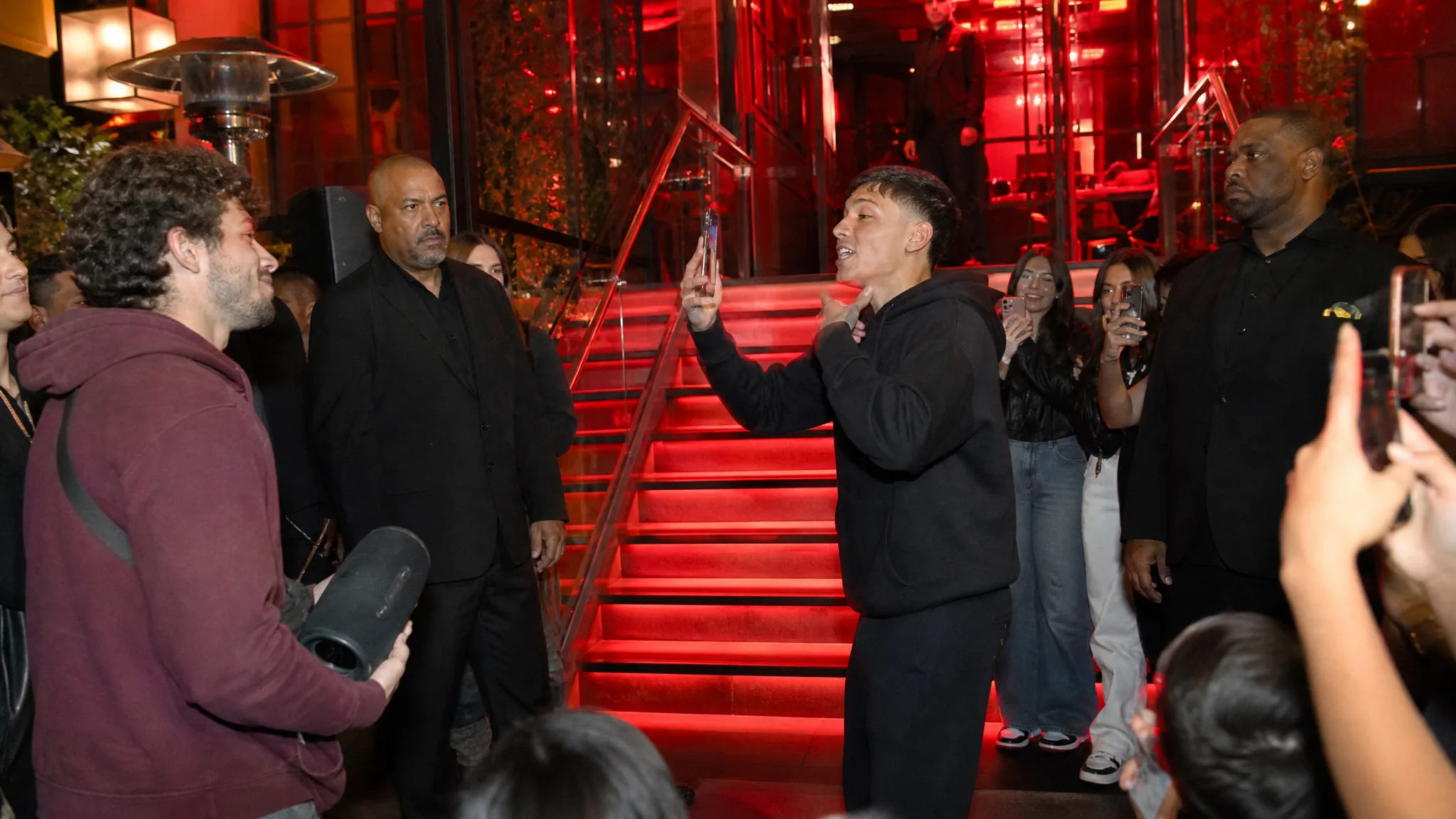
The Bulin 47 AI trend took off in October 2026 from a dembow freestyle filmed on a phone at a night-time venue doorway. To post your own version, add one selfie or portrait. The template brings the rest: red-lit stairs and glass railings behind you, a friend lifting a portable speaker, fans crowding in with their phones and the shaky handheld frame. You step into the middle of it in a 15-second vertical clip with the beat and crowd noise, sized for TikTok, Reels or Shorts. No prompt to write and no timeline to edit, just your photo and the Bulin 47 AI video generator.

Start My Bulin 47 Clip
Woman in black sunglasses and a pale pink mesh shirt rapping into a phone at a red-lit entrance, a friend raising a speaker
Just One Selfie|Scene Already Built|Doorway, Beat and Crowd|15s Vertical Clip

How to Make Bulin 47 AI Video Clips from a Selfie

This Bulin 47 AI tutorial walks through four steps, from picking the photo to watching your finished freestyle before it goes up.

1

Choose a Selfie with Your Face Clear

Pick one photo of one person looking toward the lens, eyes open and the face evenly lit. A bathroom-mirror selfie, a graduation headshot or a waist-up holiday shot all work in the Bulin 47 AI video generator. Crop away friends and strangers so the face you want in the freestyle is the only one.

2

Upload and Add an Optional Look

Tap Upload Your Photo above and add the picture. The doorway, the speaker, the crowd and the handheld camera live inside the Bulin 47 AI template, so nothing else is required. For a different outfit, type a styling note of up to 300 characters, such as a white jersey and silver chain.

3

Press Generate and Wait for the Beat

Keep 768P or choose 2K for a crisper frame and press Generate. MiniMax H3 renders the scene with your face as the performer, and the Bulin 47 AI video generator returns a 15-second vertical clip with the beat and the crowd already mixed in.

4

Watch It Back, Then Post

Play the whole clip from the Bulin 47 AI video generator and check that your face, hair and outfit match the photo. If you like it, download the vertical file and post it to TikTok, Reels or Shorts with the trend hashtag. To try another look, change the styling note or use a sharper photo and generate a new take.

Everything the Freestyle Needs, Except Your Face

The Bulin 47 AI generator already holds the scene; you bring the performer. These four rows show what each part of the template adds to your clip.

One Selfie Runs the Bulin 47 AI Video Generator

Your face is the whole input. Upload one front-facing picture and the Bulin 47 AI video generator puts you at the center of the doorway freestyle, keeping your face, hair and clothes as the reference. Phone selfies, ID-style headshots and bright holiday portraits all work, and you can reuse the same photo later with a new styling note.
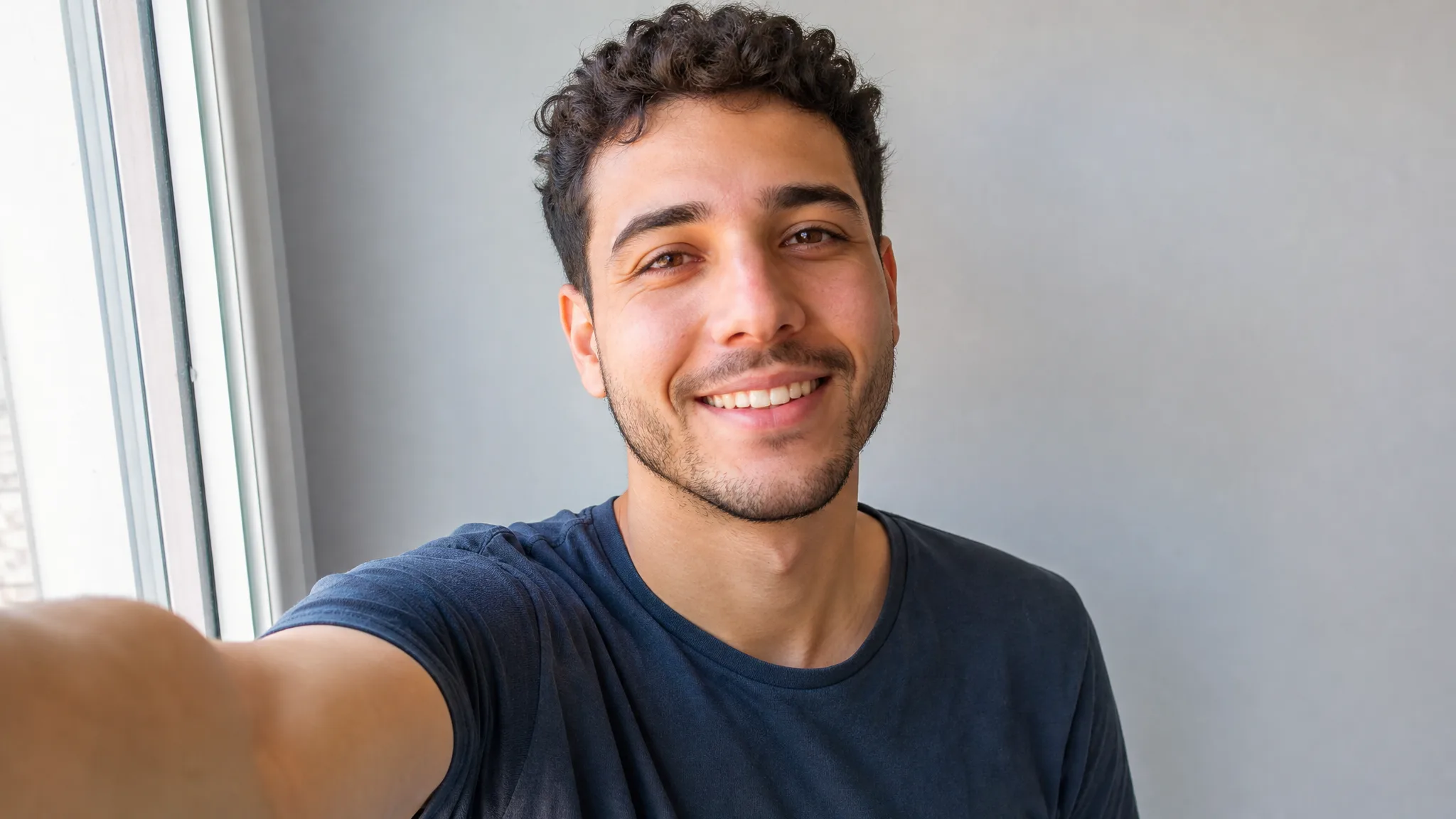
Curly-haired young man smiling into his phone for a front-facing selfie by a window, grey wall behind

A Bulin 47 AI Template with the Scene Written

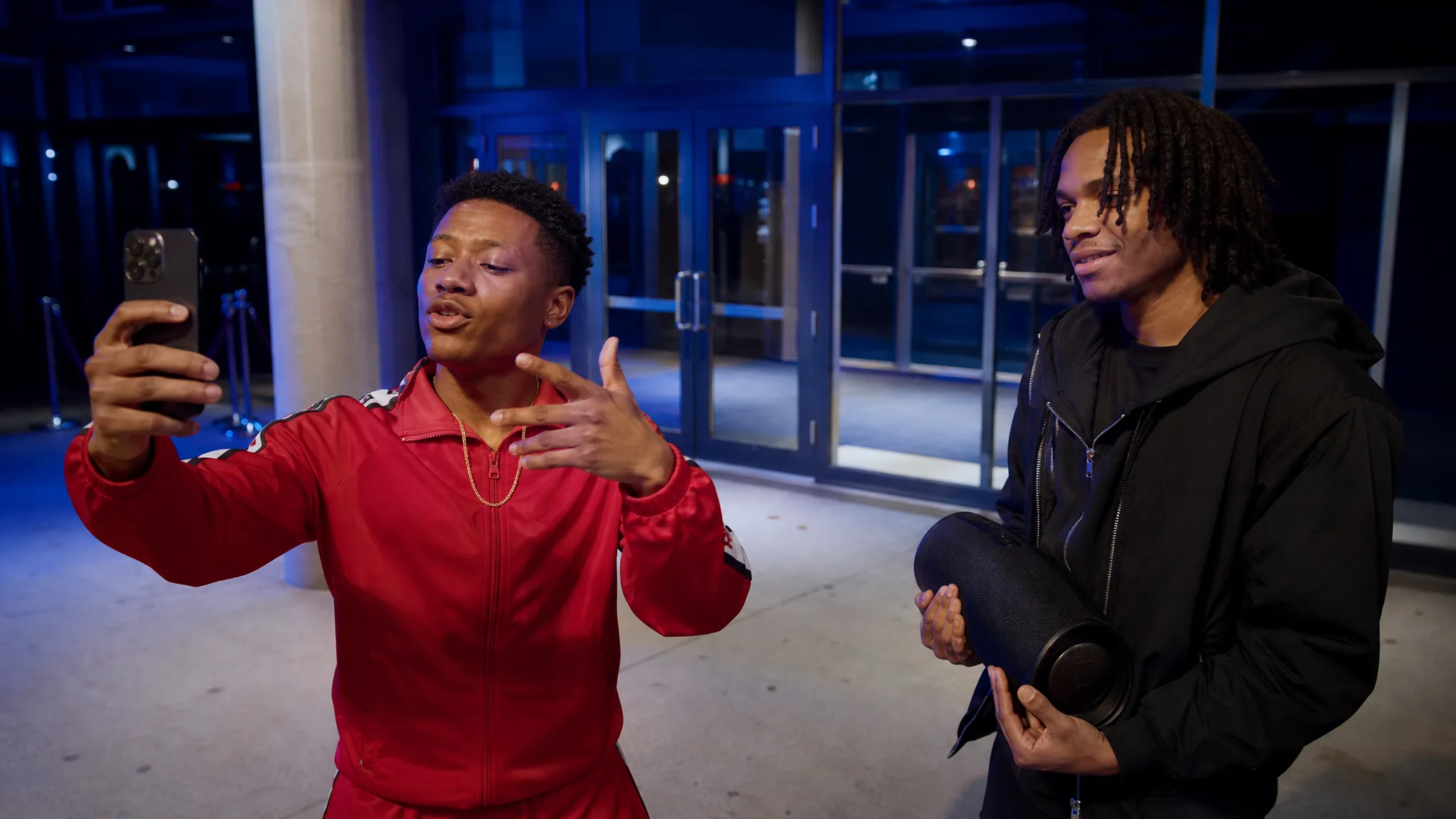
Camera shake, crowd reactions and freestyle timing are all part of the Bulin 47 AI template, so your selfie is all the Bulin 47 AI video generator needs. If you want a twist, a short styling note such as a red tracksuit or a team scarf changes the outfit while the doorway, the crowd and the performance stay the same.

Man in a red tracksuit and gold chain rapping toward a phone at a glass venue door lit cool blue, speaker beside him

Red Stairs, a Speaker and a Crowd

Put yourself in the Bulin 47 freestyle as everyone knows it: red-lit steps and glass railings, a friend lifting a black portable speaker, security close by and fans holding their phones up. The Bulin 47 AI video generator places you in the middle, rapping into a handheld vertical camera, and the dembow beat and crowd noise play from the first frame.

Wide night shot of red-lit stairs and glass railings, a rapper mid-verse, a man with a speaker and fans filming

A Vertical File You Can Post Right Away

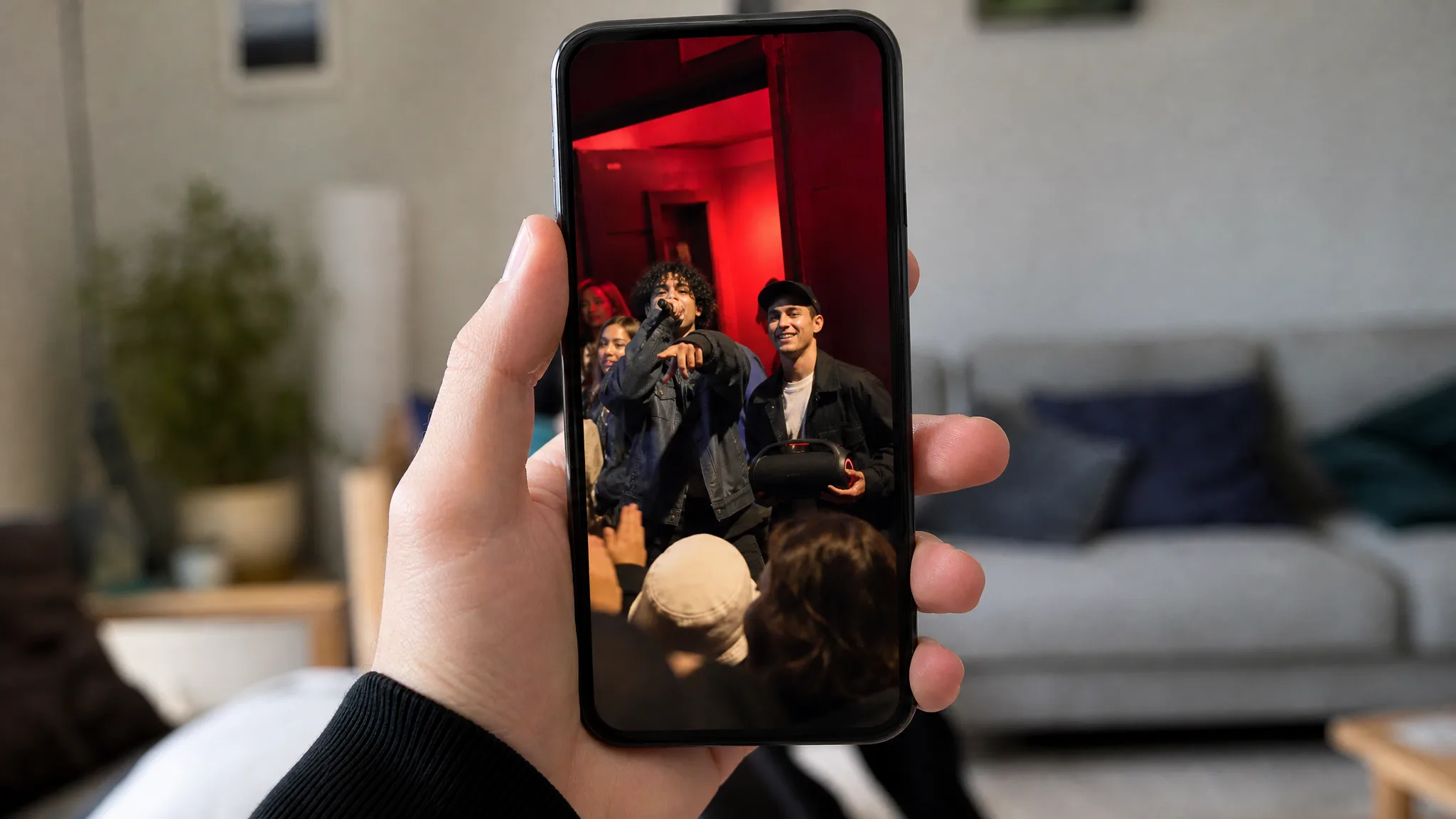
Each take comes out as a 15-second vertical clip in the shape TikTok, Reels and Shorts use. As a Bulin 47 AI video maker, the page hands you a finished post rather than a project to edit: download it, write a caption and publish while the trend is still moving. MiniMax H3 renders at 768P, with 2K for a sharper frame.

Hand holding an upright phone that plays a vertical freestyle clip filmed at a red-lit doorway

Who Is Making Bulin 47 AI Videos

Bulin 47 trend AI clips spread because anyone with a selfie can join. These are the people stepping into the doorway freestyle and what they post.

Daily Trend Posters

Creators who jump on a new sound every morning can turn today’s selfie into their own doorway freestyle before lunch. The Bulin 47 AI video generator supplies the scene and the beat, so the creator only writes the caption and picks the hashtags for TikTok or Reels.

Friends Pranking the Birthday Person

Cast the quiet one of the group as the doorway rapper for a birthday, a farewell or a group-chat roast. With a photo they are happy to share, the Bulin 47 AI video generator makes a freestyle the whole friend group will replay and forward.

Dance Studios Promoting a Class

Dembow and street-dance instructors can post a Bulin 47 freestyle AI clip of themselves to announce a new class. One teacher headshot gives a lively hook for the studio’s Reels page, and the caption carries the time and place.

Fan Pages and Local Clubs

Football fan pages and local music crews can run an admin photo through the Bulin 47 AI video generator and add a jersey or scarf in the styling note. The finished clip ties the trend to the page’s colors before it goes out to followers.

Artists with an Original Character

Illustrators and 3D artists can drop an original character into a Bulin 47 rap AI clip. A clear, front-facing drawing or render of one character gives the generator a face to follow, and the crowd and handheld camera do the rest for a character account post.

Stories from People Who Tried It on Their Photos

I post a trend every morning before work, and this one was everywhere by Tuesday. One bathroom-mirror selfie went into the Bulin 47 AI video generator, and there I was at the red-lit door with the speaker beat behind me. I checked the face looked like mine, joined the Bulin 47 AI trend and posted before breakfast.

Yara D.
TikTok Creator

Bulin 47 AI Video Generator Questions

Answers about the Bulin 47 AI trend, starting free, the photo to use, the template, who can star in it, the clip itself and tips for a stronger take.

The Bulin 47 AI video generator is a ready-made template that casts you in the viral doorway freestyle. You add one photo, and it returns a 15-second vertical clip of you rapping at the red-lit entrance with the speaker beat and a crowd filming around you.

The Bulin 47 AI trend is people remaking a viral Bulin 47 video from October 2026 with themselves as the performer. The original showed a dembow freestyle rapped into a phone at a red-lit venue doorway, a friend holding a speaker and fans filming, and searches like Bulin47 AI video or Bulin 47 AI filter followed.

You can try the Bulin 47 AI video generator for free with the credits you get when you create a PicVideo account. Each daily check-in tops up your balance, and a seven-day streak pays 4x on the last day. Spend them on your first doorway freestyle and post it while the trend is hot.

Use a sharp, front-facing photo of one person for a Bulin 47 AI video. Eyes open, even light and a face that fills a good share of the frame give the best match. A selfie or a waist-up shot is ideal; crop out anyone else so the performer is clear.

Your photo is the only input the Bulin 47 AI template needs. The venue doorway, the crowd, the camera movement and the beat are already inside it. An optional styling note of up to 300 characters can swap the outfit, such as a white jersey and silver chain. MiniMax H3 renders every take.

A friend, a cousin or an original character you drew can star in a Bulin 47 freestyle AI clip. The photo just needs one clear, front-facing face. Try a friend in a team jersey for a birthday post, or a comic hero for a fan page, and match the look with a styling note.

Each Bulin 47 AI video runs 15 seconds in a vertical frame. It plays with the scene’s dembow beat and crowd noise, so it is ready to post as it is. It renders at 768P by default, or 2K for a sharper frame, and fits TikTok, Reels and Shorts.

Begin with a crisp, front-facing photo in soft, even light where your face takes up much of the frame. A short, specific styling note works best. For a different variation, add a sharper picture to the Bulin 47 AI video maker and generate another take.

Step into the Bulin 47 Freestyle Now

Add one selfie, and the Bulin 47 AI video generator builds the red-lit doorway, the speaker beat and the filming crowd around you. Download your 15-second vertical clip for TikTok, Reels or Shorts. You need no Bulin 47 AI app, because it all runs in your browser, so you can post while the trend is hot.

Make My Freestyle Clip
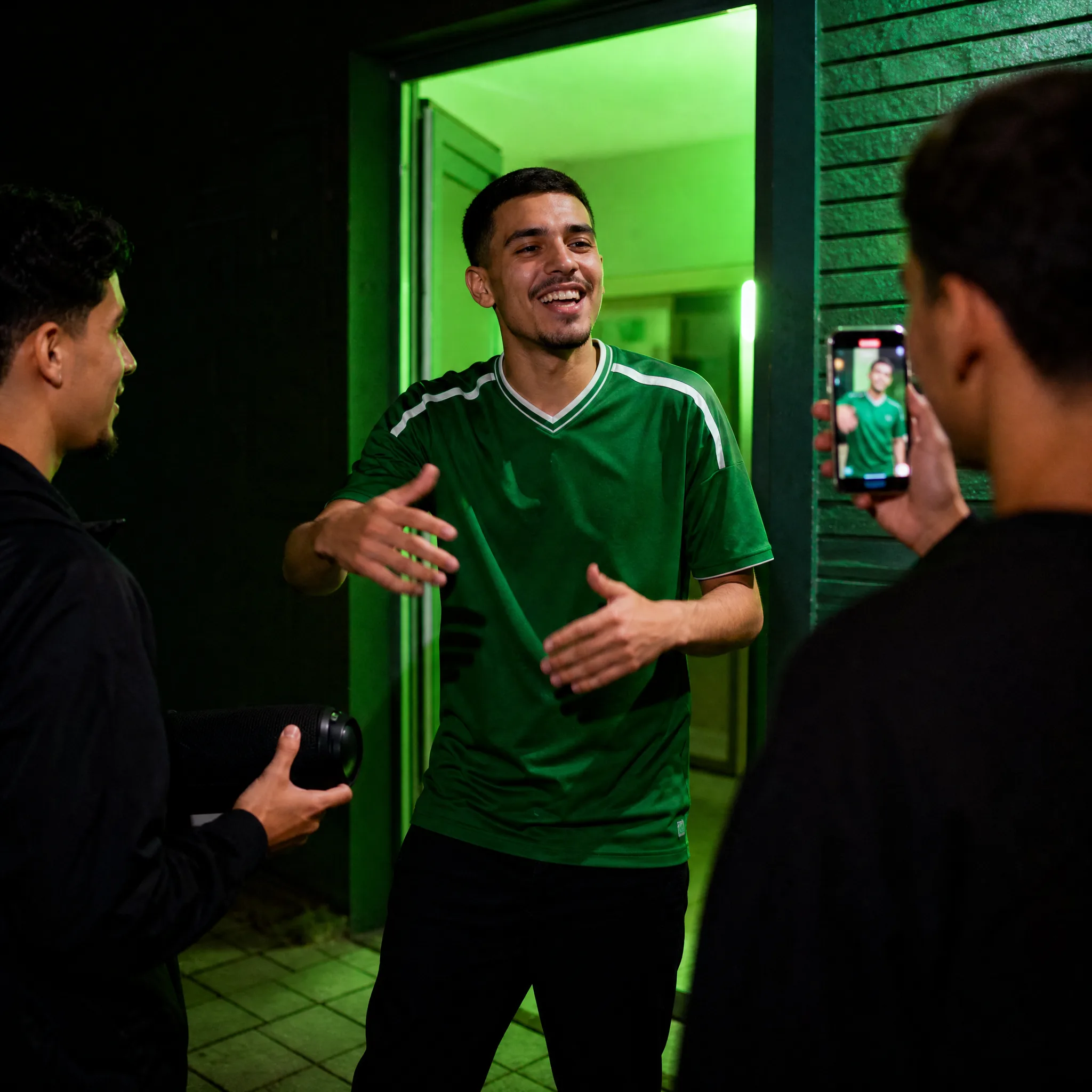
Man in a plain green football jersey grinning mid-rap at a green-lit doorway, a friend holding a speaker