






















Start & End Frame
Reference images

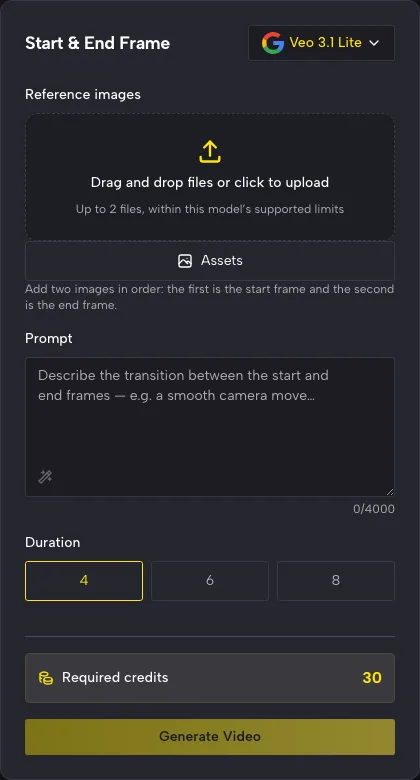
Add two images in order: the first is the start frame and the second is the end frame.

Prompt
0/4000
Duration
Resolution
Aspect ratio
Translate prompt
Number of outputs
Public Visibility
Required credits
30
Sample videos

Start and End Frame to Video from Two of Your Photos

Pick where the moment begins and ends, and let AI fill the middle

Got a before and an after? Start and end frame to video takes two photos, such as a bare room and a decorated one or a bud and a bloom, and generates the motion that links them while your prompt describes the change.

Animate My Two Frames
Before-and-after reveals|First and last photo inputs|Prompted transitions|Downloadable takes

How to Use Start and End Frame to Video

Start and end frame to video asks you for three things: the opening photo, the closing photo and a sentence about what changes in between.

Start & End Frame panel on PicVideo with Veo 3.1 Lite chosen, two image slots, a prompt box and clip length options

Upload the first photo

Add the photo that should open the clip, for instance your living room before the makeover or a child standing at the start line. Start and end frame to video treats it as frame one, so crop and frame it the way you want the shot to begin.

Turn a Before and After into One Moving Shot

Start and end frame to video is made for photo pairs that show change: a smile, a renovation, a design taking shape, a street at two times of day.

Let a portrait change expression

Two portraits from the same session, one serious and one smiling, become a single moment with start and end frame to video. It works for graduation photos, team headshots or a family portrait where the toddler finally grins. Keep the lighting and the angle similar so the face stays recognizable from the first frame to the last.
Show a design go from sketch to finish

Pair a pencil drawing with the final product photo, and the transition tells the story of how the piece was made. First and last frame to video suits furniture makers, illustrators and interior designers who want a process clip for a portfolio, a client update or a shop listing, with no timelapse to edit by hand.

Write how the change should feel

Your prompt guides the journey between the photos: a slow glide down the street as the bulbs switch on, or a quick push toward a doorway. Start and end frame to video reads that direction as a mood rather than a frame-by-frame script, so judge the take as a whole and adjust the wording if the timing feels off.

Why Two Frames Work Better for Reveals

With start and end frame to video, both ends of the shot are your own photos, so the change you want is visible before you press generate.

You decide the ending

With a single image, the AI chooses where the motion goes. With start and end frame to video you supply the last frame as well, so a bare room ends up furnished and a closed gift box ends up open, just as they appear in your second photo.

Motion that is generated, not faded

The frames in between are newly generated, so the clip moves through the change instead of cross-dissolving two stills. Review each start and end frame to video result for faces, hands and lettering in the middle, where the model has the most room to interpret.

Process stories in a few seconds

A sketch that becomes a finished chair, or a plain cake that ends up covered in sugar flowers, explains your craft faster than a before-and-after slide. Drop the clip into a portfolio, a case study or a product page where visitors tend to skim.

Models chosen for both frames

Only models that accept a first and a last frame are listed here, with Veo 3.1 Lite as the default. Their lengths, resolutions and framing options differ, so if a start and end frame to video take feels rushed, try a longer duration or another model.

Stories from People Who Tried It on Their Photos

Clients never remember how cramped the room looked. I photograph every living room on day one and again after the makeover, same corner, same lens height. Start and end frame to video turns each pair into a smooth reveal with the sofa sliding into place, and that clip now opens every project post on my studio page.

Renata Silva
Interior Designer

Start and End Frame to Video FAQ

Answers on start and end frame to video: what it does, which photos to pair, which models take two frames, starting free, rights and visibility.

Start and end frame to video is an AI workflow that takes two images, an opening frame and a closing frame, and generates the motion that connects them. People also call it first and last frame to video. The model creates the in-between frames itself, carrying the first image into the second in one continuous take.

Pick a model that supports a start and end frame, put the first photo in the start slot and the second in the end slot, and write one sentence about the change. Check the settings, then generate and review the take.

Veo 3.1 Lite, the default here, accepts both a start and end frame and makes 4, 6 or 8-second clips. The full list of models with both inputs today is Gemini Omni Flash 1.1, Veo 3.1 Basic, Veo 3.1 Lite, Seedance 2.5, Seedance 2.0, Seedance 2.0 Fast, Seedance 2.0 Mini, Wan 3.0 Prime, Wan 3.0, MiniMax H3, PixVerse V6, Wan 2.7 and Kling 3.0 Omni. Frame shape depends on the model and mode, and auto-framing follows the photos you upload.

A good start and end frame pair shows the same subject from a similar angle, in the same aspect ratio, changing in one clear way: an expression, the light or what fills a room. Bigger jumps create bold transformations, while a small change gives a smooth, quiet reveal.

You can try start and end frame AI video free: sign up to receive free credits, then check in each day for more, with streak rewards climbing to 4x on day 7. Spend them on Veo 3.1 Lite, the default start and end frame model, and connect your first pair of photos.

You own the start and end frame videos you generate, as set out in the Terms, and your rights in the two photos stay with you. A before-and-after room makeover, a product unboxing or a day-to-dusk listing shot can go straight into the post, page or pitch you made it for.

Your uploaded frames are never published, and finished clips are not posted anywhere automatically. Who sees each start and end frame clip follows the Public Visibility setting shown in the workspace when you generate.

Create a Start and End Frame Video from Your Photos

Pick the photo where the moment starts and the one where it ends: a bud and a bloom, an empty room and a finished one. Write how the change should unfold, and start and end frame to video generates the motion between them. Check both ends, then download your take.

Upload My Two Photos
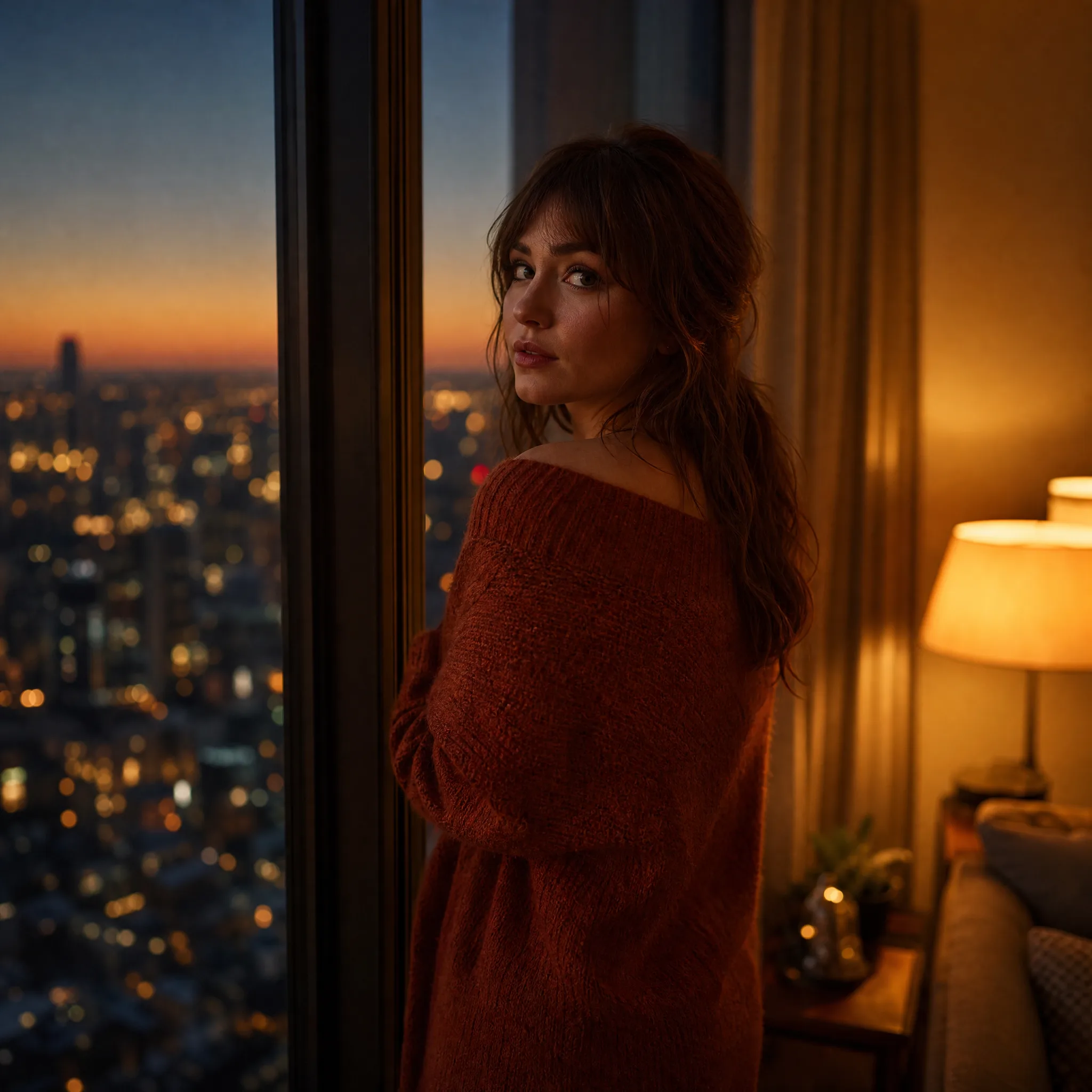
Woman in a rust-red sweater glances back from a tall window as the city below lights up at dusk