























Seedance Image to Video for Portraits, Pets and Product Shots

One photo, one clear move, and a clip that feels like the next second of the picture

Start with a portrait, a pet snapshot or a product photo, say what moves, and Seedance image to video turns it into a short ByteDance Seedance 2.0 clip, with sound when you switch it on.

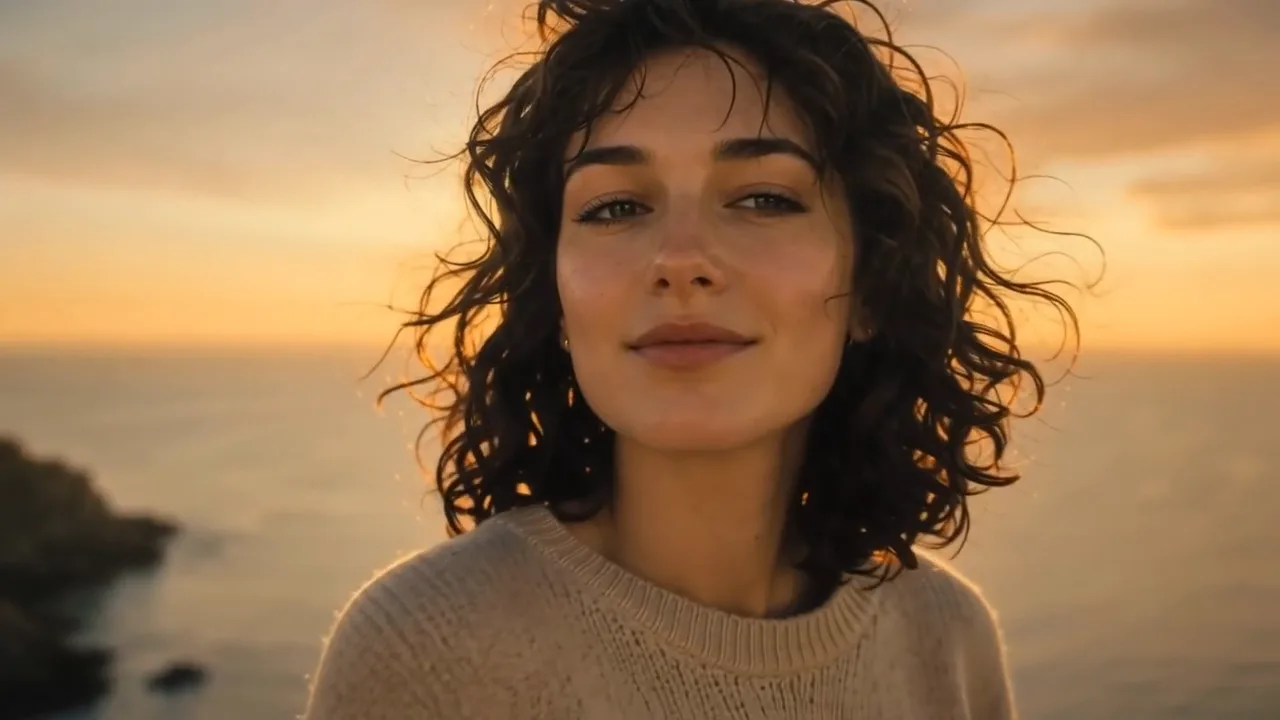
Curly-haired woman on a cliff above the sea at golden hour, wind lifting her hair as she turns to the camera
Portrait glances and gestures
Product shots that catch the light
Travel scenes with moving weather
Sound you can switch on
Three variants from draft to 4K
Seedance
First frame
Last frame
Image references
Video references
Audio references

With this model, audio references need at least one image or video reference.

Prompt
0/20000
Generate audio
Resolution
Aspect ratio
Duration
Web search
Number of outputs
Public Visibility
Required credits
38
Sample videos

Turn a Favorite Photo into a Seedance Moment

Every portrait, pet snapshot or product photo stops one second of a scene. Seedance image to video, part of the Seedance AI video generator family from ByteDance, imagines the second that follows: a smile that widens, a dog turning toward its name, a bottle catching a sweep of light. You describe it in a sentence, then keep the take worth sharing.

Start a Seedance Clip
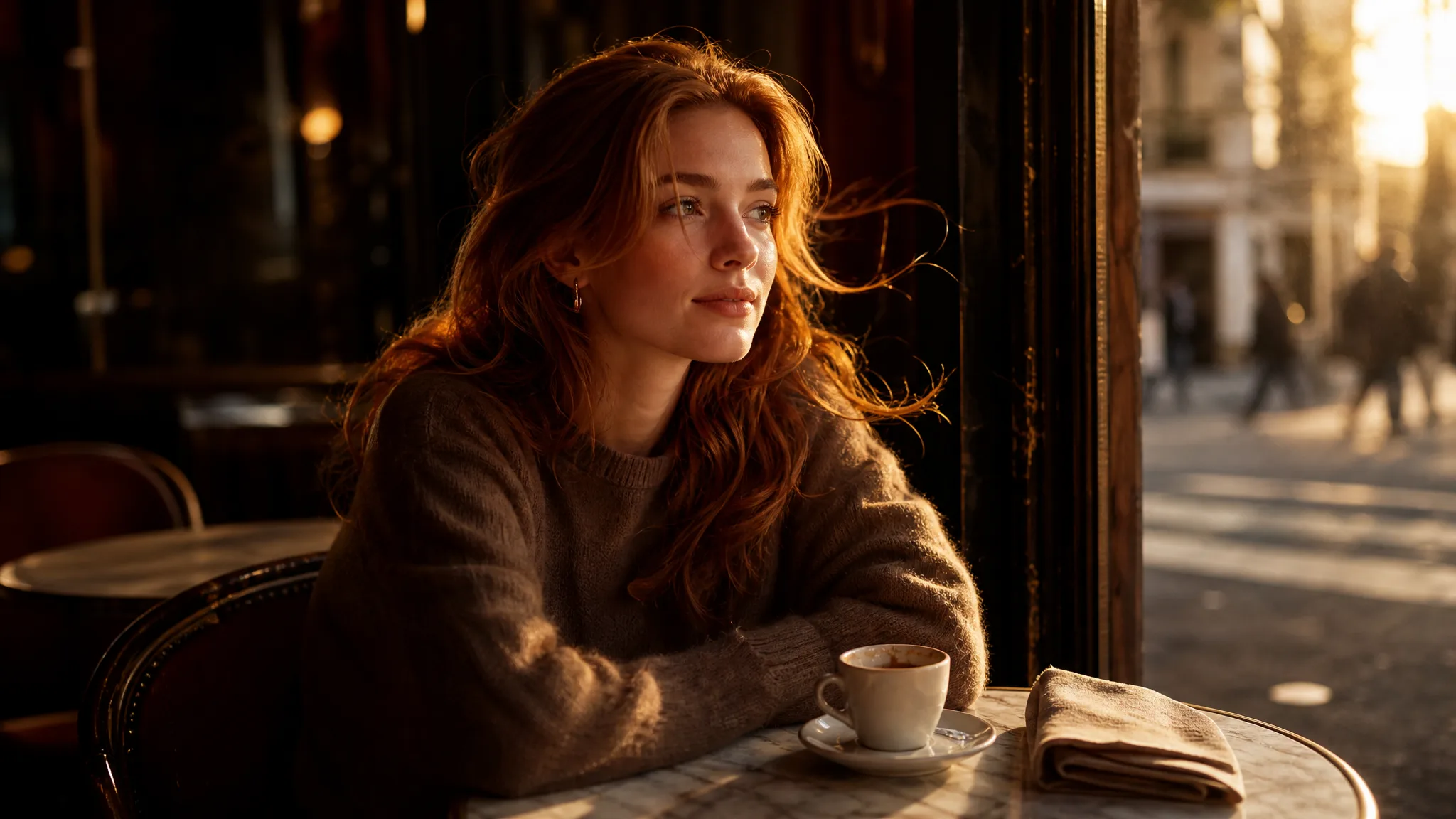
Auburn-haired young woman at a cafe window table turning her gaze toward soft morning sunlight

How to Use Seedance Image to Video in Four Steps

Seedance image to video moves from one photo to a finished take in four steps: pick the frame, describe the motion, set the variant and review the result.

1

Pick a photo with one clear subject

Choose a JPG, PNG or WebP image where the face, pet or product is easy to see and evenly lit. Seedance image to video treats this picture as the opening frame, so crop away stray objects first; anything left near the edges may start moving along with the rest of the scene.

2

Write the motion in one sentence

Say what moves and how the camera watches it, for example: the bride lifts her veil while the camera eases closer. Seedance image to video responds best to a single clear action, so add pace and mood in a few words instead of stacking a list of separate events.

3

Set the variant, length and frame

Choose Seedance 2.0, Fast or Mini, a length from 4 to 15 seconds and a frame from 9:16 for stories to 21:9 for wide openers. Seedance 2.0 reaches 4K, while Fast and Mini stop at 720p. Switch sound on if the moment needs it, then start the Seedance image to video render.

4

Review the clip before you download

Play the take to the end and compare the face, fur or label with your photo; with sound on, check that it suits the scene. Keep the Seedance image to video clip you like, save the prompt that produced it, and change one detail at a time when you want another version.

Directions a Single Photo Can Take

Seedance image to video works best when the motion has a purpose: a person reacting, a product being revealed, a landscape coming alive or a second take on the same idea.

Let a portrait react

A portrait photo already carries the expression; the motion only has to continue it. Ask Seedance image to video for a turn of the head, a laugh or hair moving in a sea breeze, and keep the request small so the face stays close to the original. Watch the eyes and mouth across the full take, since those are the details friends and clients notice first.
Reveal a product like a shop window would

Product photos work hardest when the eye is led to one detail. Describe a slow push toward the label, a band of light crossing the glass or a short orbit, and Seedance image to video stages that reveal around your packshot. On Seedance 2.0 the render can go up to 4K, which leaves room to crop one master into a 16:9 banner and a 9:16 story.

Bring the weather back into a travel photo

A travel photo often freezes the best part of the trip: wind on a hilltop, clouds sliding over a valley, late sun on the grass. Seedance image to video can restore that movement while the person in the frame stays put. Try the idea on Seedance 2.0 Mini at 480p first, then render the keeper on Seedance 2.0 at a sharper setting.

Compare two versions of one idea

The same photo can tell different stories depending on the camera. Run Seedance image to video once with a slow arc around the subject and once with a locked camera, changing nothing else, and the pair shows which instruction shaped the mood. Treat the pair as a quick A/B test before choosing a clip for a reel, a pitch or an opening shot.

Seedance Image to Video Ideas for Real Photos

Seedance image to video fits anyone holding a photo that deserves a few seconds of motion, from wedding galleries to shop listings.

Wedding photographers sending a preview

A wedding photographer can pick one portrait from the day, such as the couple under the arch, and ask Seedance image to video for a veil lifting in the breeze. Sent with the first gallery link, the clip gives the couple a moving preview while the full edit is still in progress.

Small shops refreshing a listing

An online seller can turn the main product photo into a short reveal with a soft light sweep, rendered by Seedance image to video at 1:1 for the listing and 9:16 for stories. Prices and captions are added later in the shop’s usual editor.

Travel creators opening a trip recap

A travel creator can start a recap with the widest photo of the trip, a coastline or a mountain ridge, and let clouds and water move across it. The 21:9 frame suits a cinematic first shot before the handheld footage begins.

Families reviving an old portrait

A family historian can choose a scanned portrait of grandparents and describe a small, gentle motion, like a shared glance and a smile. Seedance image to video turns it into a few seconds to play at an anniversary dinner, right after the original photo appears on screen.

Pet owners making a birthday clip

A pet owner can take the best photo of the dog in a party hat and ask for a head tilt and a wagging tail. With sound switched on for a lively feel, the clip becomes a birthday post or a message for the family group chat.

Creators building a channel intro

A creator can open a channel trailer with their own headshot, using Seedance image to video for a slow push-in and a confident look toward the lens. Those first seconds set the tone before the talking-head footage takes over.

Stories from People Who Tried It on Their Photos

The couple had asked for something to send their grandparents before the album was ready. I picked the portrait under the olive tree and used Seedance image to video to let her veil drift while he leaned in laughing. Five seconds, sound off, sent with the first twenty proofs. Her grandmother replied with a voice note within the hour.

Priya N.
Wedding Photographer

Seedance Image to Video FAQ

Answers about Seedance image to video: the three variants, choosing a photo, sound, free use, privacy and publishing your clips.

Seedance image to video animates one still photo with ByteDance Seedance 2.0, guided by a short motion prompt. Seedance 2.0 Fast and Seedance 2.0 Mini sit in the same workspace, so you can draft portraits, pet clips and product reveals on one page.

For Seedance image to video, use Mini for quick drafts, Fast for a quicker 720p pass and Seedance 2.0 for the final render. All three make 4- to 15-second clips; Seedance 2.0 offers 480p, 720p, 1080p or 4K, while Fast and Mini offer 480p or 720p, in 16:9, 9:16, 1:1, 4:3, 3:4, 21:9 or adaptive frames.

Seedance image to video starts every clip from your photo, so a sharp, front-lit face or pet gives it the strongest reference. Small motions keep features closest to the original; on longer clips, check eyes, fur markings and clothing across the take and regenerate if something drifts.

Seedance image to video can add generated sound on all three variants when you switch the option on before generating. Leave it off for a silent clip, or keep it on and listen to the timing during review; narration can still be layered in your editor later.

Seedance image to video is free to start: sign up to collect free credits, then check in daily, because a streak grows the reward to 4x by day 7. Seedance 2.0 Mini is the free Seedance video generator option here, so your first portrait or pet clips can run on those credits. Seedance 2.0, Fast and the larger Mini settings run on a plan or credit pack.

Your photo goes to the generation service only to create the clip, and it is not published. Seedance image to video clips made on a free account carry Public Visibility, so a portrait, pet clip or product reveal may be picked for Explore after review.

Seedance image to video runs in the browser, so a beginner only needs one clear photo and one sentence about the motion. Start with something simple, such as a slow smile or a camera easing closer, then try bolder moves once you have seen how the model reads your photo.

You own the Seedance image to video clips you generate, to the extent the law allows, as the PicVideo Terms set out. For a product reveal, animate photos of goods you actually sell, and if generated sound is on, check that no tune or voice in the clip resembles a real song or person before it runs in an ad.

Start Your First Seedance Image to Video Clip

Pick a portrait, pet photo or product shot, write the motion in one sentence, and Seedance image to video returns a 4- to 15-second clip, with sound when you switch it on. Watch it through, keep the take you like and share it wherever the photo was headed.

Animate with Seedance
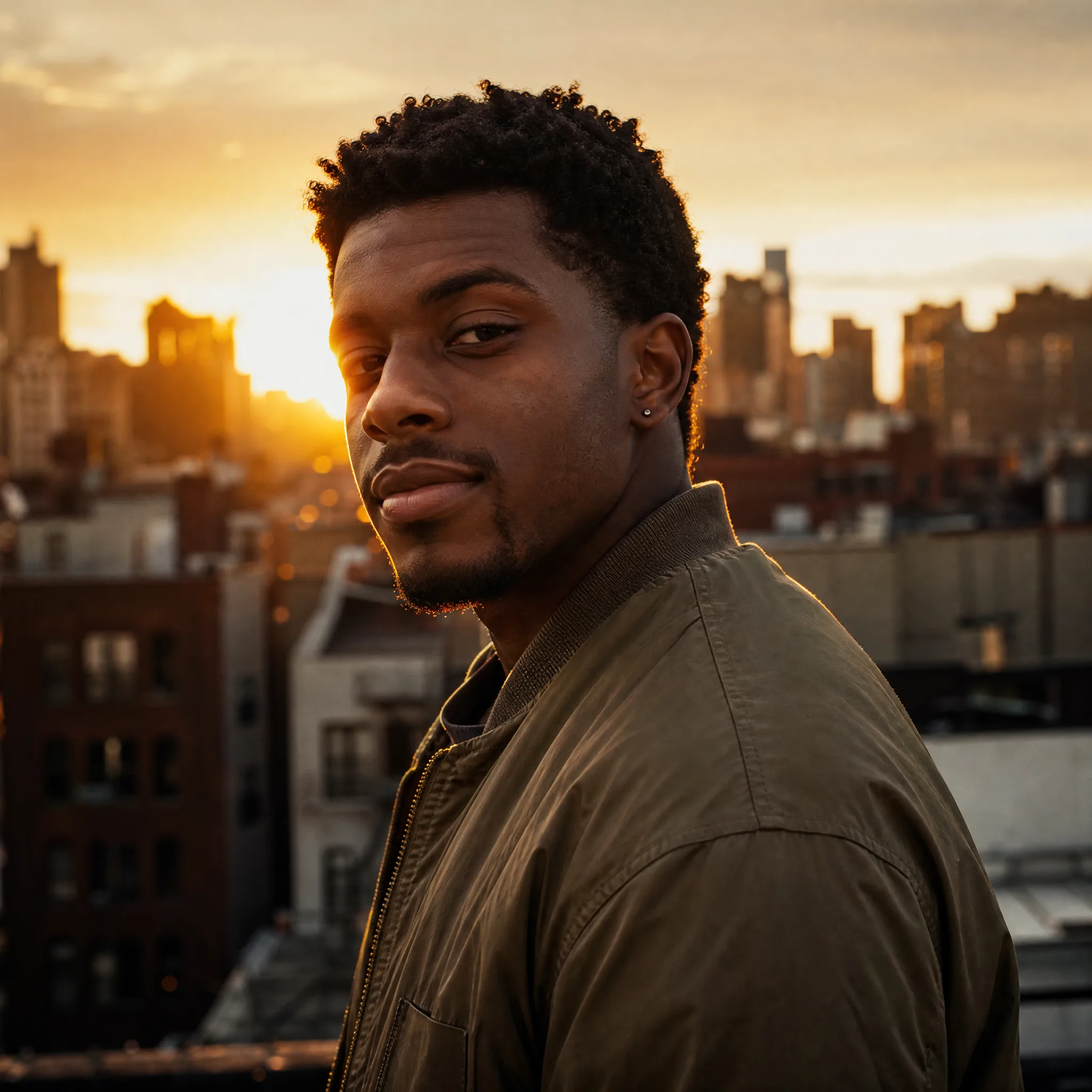
Young man in an olive bomber jacket looking back over his shoulder on a rooftop as the sun sets over the city